Connecting Your Other Business Tools
Connecting Your Other Business Tools
A practical guide to bringing Claude into your real workflows, decisions, and connected tools.
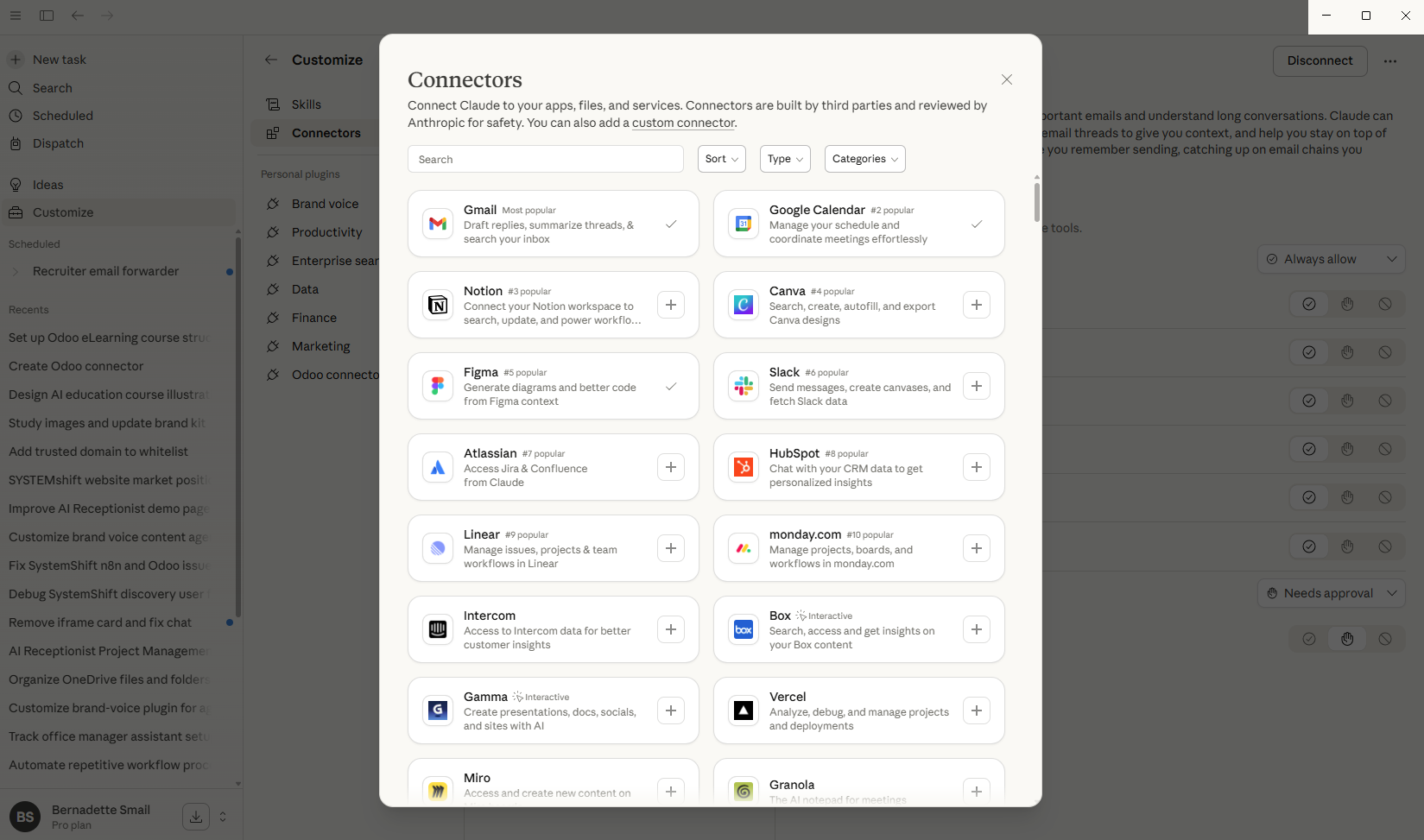
Gmail and Calendar are just the start. Depending on your business, there are connectors for many of the tools you may already be using.
Google Drive
Let Claude find, read, and create files in your Google Drive. 'Find my Q1 sales report' or 'Create a new folder for the Henderson project.'
Slack
If your team uses Slack, Claude can search messages, summarise channels, or draft a message for you to send.
Microsoft tools (Outlook, OneDrive, SharePoint, Teams)
For businesses on Microsoft, connectors are available for Outlook, OneDrive, SharePoint, and Teams — similar capabilities to the Google suite.
Odoo
The Odoo connector lets Claude work directly with your CRM, website, and operations. Ask about your leads, pipeline, courses, or contacts.
⚠️ Good to know: Each connector requires a separate authorisation. Connect only the tools you actively need — you can always add more later.
In case you hear this term out there...
Ecosystem — The collection of tools and apps a business uses together.
API — A way for two software systems to talk to each other. When Claude connects to Gmail, it uses Gmail's API — a secure channel designed for this.
✦ Connect the tools your business already uses — Claude works inside them, you don't have to switch apps.
There are no comments for now.
to be the first to leave a comment.